
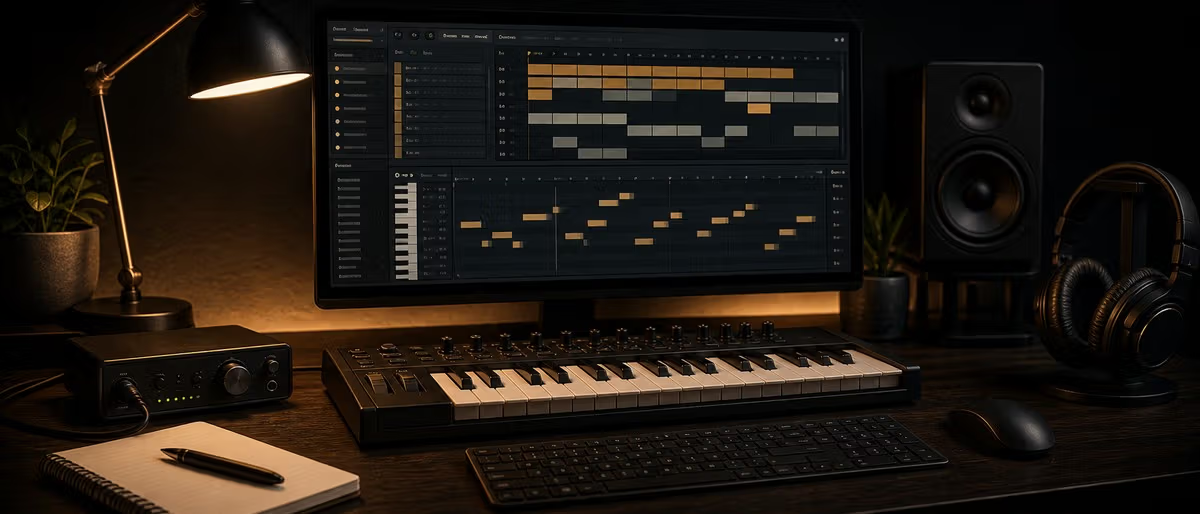
FL Studio is a digital audio workstation (DAW) used to make beats, record audio, arrange songs, mix, master, and export music. It is especially popular with hip-hop, trap, drill, EDM, and bedroom producers because the Channel Rack and piano roll make drum programming and melody writing fast. Beginners should start with the trial or Producer Edition, learn one simple beat workflow, and avoid buying plugins before mastering the stock tools.
What FL Studio Actually Does
FL Studio is a full music production environment from Image-Line. It can host instruments and effects, record vocals and instruments, sequence drums, edit MIDI, arrange full songs, automate parameters, mix tracks, and export WAV/MP3 files. The program started as a pattern-based beat tool, but modern FL Studio is a complete DAW for finished releases.
Its main advantage is speed. The Channel Rack makes it easy to sketch drums, the piano roll is one of the strongest MIDI editors in any DAW, and the Playlist lets you turn patterns into a full arrangement. Its main risk for beginners is clutter: because FL Studio lets you work in many ways, a project can become messy if you do not route sounds and name patterns early.
FL Studio Editions: Which One Do Beginners Need?
| Edition | Best for | Main limitation |
|---|---|---|
| Trial | Testing workflow, opening demo projects, learning the interface | You can save projects but cannot reopen saved projects until you buy. |
| Fruity Edition | Very basic MIDI-only beat sketches | Too limited for most producers because audio recording/clips are restricted. |
| Producer Edition | Most beginners and beatmakers | No full bundle of premium synths, but enough for complete songs. |
| Signature Bundle | Users who want more Image-Line plugins included | Costs more; only useful if you will use the extra plugins. |
| All Plugins Edition | Power users who want the full Image-Line ecosystem | Overkill for beginners who still need workflow fundamentals. |
Always verify current editions and pricing on Image-Line before buying. FL Studio is known for lifetime free updates after purchase, but bundles and included plugins can change.
Key Features Beginners Should Learn First
Channel Rack
The fast drum and instrument launcher. Start here for kicks, snares, hats, 808s, and simple patterns.
Piano Roll
The MIDI editor for melodies, chords, basslines, slides, velocity, strums, and ghost notes.
Playlist
The arrangement view where patterns, audio clips, automation, and song sections become a full track.
Mixer
Where you route sounds, add EQ/compression/saturation, build buses, and prepare the track for export.
Browser
Your access point for samples, presets, project files, plugins, and saved templates.
Automation clips
Reusable curves that change volume, filters, reverb sends, pitch, and plugin parameters over time.
Beginner Setup Checklist
- Install the correct version for your OS. Use the official installer and avoid cracked builds; unstable plugin folders waste more time than they save.
- Choose the audio driver. On Windows, use FL Studio ASIO or your interface ASIO driver. On macOS, use Core Audio through the audio settings.
- Set buffer size for the task. Use lower buffer for recording and higher buffer for mixing heavy projects.
- Add one sample library folder. Keep packs organized outside random Downloads, then add that folder to the FL browser.
- Create a starter template. Route kick, snare, hats, 808, melody, vocals, and master reference tracks before every session.
- Finish one small beat. Learn export, routing, and arrangement before installing 50 extra plugins.
Stock Plugins Worth Learning
- FLEX — Preset-based instrument for quick keys, pads, basses, and modern sounds.
- Sytrus — Deep FM/subtractive synth; intimidating at first but powerful for bass and keys.
- Fruity Parametric EQ 2 — Clean visual EQ for almost every mix task.
- Fruity Limiter — Limiter, compressor, and sidechain tool. Learn it before buying a third-party limiter.
- Gross Beat — Time and volume effects for stutters, gates, halftime, and transitions in supported editions.
Is the FL Studio Trial Enough?
The trial is useful for learning the interface and testing whether the workflow clicks. The key limitation is project recall: you can save, but you cannot reopen saved projects until you buy. Use the trial for short experiments, not a serious client session.
- Make one 8-bar beat from stock sounds and export audio.
- Try recording or importing vocals if that is part of your workflow.
- Test your audio interface latency before purchase.
- Compare FL Studio against Ableton or Logic using the same simple beat idea.
Free FL Studio Resources to Add After the Basics
After you understand Channel Rack, Playlist, Mixer, and export, add a small number of free VSTs, drum kits, and presets. Do not install a giant plugin folder before you can finish a beat with stock tools; too many choices slow beginners down.
Learning path
Answer hubs relacionados
Catálogo relacionado
Más software del catálogo
Más software del feed de Plugg Supply, ordenados por popularidad del catálogo.
Recursos gratuitos en Plugg Supply
![Tuff Nerds LEADR v1.3.2 [WiN]](/images/posts/tuff-nerds-leadr-84977.avif?v=2026080101)
![Wavescrate Terrain v1.0.0 [MacOSX]](/images/posts/wavescrate-terrain-86646.avif?v=2026080101)
Programas
CalienteWavescrate Terrain v1.0.0 [MacOSX]
![Schwabe Digital Gold Clip v1.4.1 U2B [MacOSX]](/images/posts/schwabe-digital-gold-clip-81690.avif?v=2026080101)
Programas
CalienteSchwabe Digital Gold Clip v1.4.1 U2B [MacOSX]
![Arturia Analog Lab V Pro v5.12.6 [MacOSX]](/images/posts/arturia-analog-lab-v-pro-86743.avif?v=2026080101)
Programas
CalienteArturia Analog Lab V Pro v5.12.6 [MacOSX]
![Nuro Audio Xvox v1.1.3 [WiN]](/images/posts/nuro-audio-xvox-81869.avif?v=2026080101)
![Beatsurfing Druw v1.0.1 [WiN]](/images/posts/beatsurfing-druw-86698.avif?v=2026080101)
Programas
CalienteBeatsurfing Druw v1.0.1 [WiN]
Browse FL Studio-compatible sample packs, free plugins, presets, and drum kits on Plugg Supply after you have a clean starter template.
Ver descargas gratuitasFL Studio FAQ
- Is FL Studio good for beginners?
- Yes. It is one of the fastest DAWs for making a first beat because Channel Rack and piano roll are immediate. Beginners still need discipline around routing and arrangement.
- Which FL Studio edition should I buy first?
- Producer Edition is the safest starting point for most beatmakers because it supports full audio clips and complete production workflows without the cost of the largest bundles.
- Can FL Studio record vocals?
- Yes, with editions that support audio recording. You can record through an audio interface, edit takes, route vocals to mixer tracks, and mix them with stock or third-party plugins.
- Do I need third-party plugins for FL Studio?
- No. Stock tools can finish professional tracks. Add third-party plugins only after you know what sound or workflow problem you are solving.
- Is FL Studio only for trap and hip-hop?
- No. It is popular in trap and hip-hop, but it can produce EDM, pop, lo-fi, film cues, podcasts, and experimental music. Genre depends more on workflow and sound selection than the DAW name.